



Managed Backup Solutions for Faster Recovery
A backup that has never been restored is not a recovery strategy. It is an assumption. When ransomware encrypts a file share, a cloud misconfiguration deletes production data, or a failed update corrupts a database, the business does not need a dashboard showing green check marks. It needs managed backup solutions that can restore the right data, to the right location, within an acceptable timeframe.
For small and mid-sized organizations, that requirement is harder than it sounds. Data is often distributed across AWS workloads, Microsoft 365, endpoints, file servers, databases, SaaS platforms, and line-of-business applications. Ownership is fragmented, retention rules are unclear, and backups may be configured but rarely tested. A managed approach turns backup from a background task into an operational capability with accountable ownership, documented recovery procedures, and continuous oversight.
What Managed Backup Solutions Actually Cover
Managed backup solutions combine backup technology with the people and processes required to operate it reliably. The provider designs the backup architecture, deploys and monitors jobs, investigates failures, manages retention, validates recoverability, and supports restoration when an incident occurs.
That distinction matters. Purchasing cloud storage or enabling a native backup feature does not establish a complete recovery program. Someone must confirm that every critical workload is covered, that backups are protected from deletion or encryption, and that recovery objectives remain realistic as systems change.
The scope should begin with an inventory of business-critical data. This typically includes virtual machines, databases, application configurations, infrastructure-as-code repositories, user files, cloud storage, collaboration platforms, and security logs. Not every dataset needs the same recovery standard. A development environment may tolerate a 24-hour recovery point, while an order-processing database may require backups every few minutes and a much shorter restoration window.
A capable provider translates these business requirements into two practical measurements: recovery point objective, or RPO, and recovery time objective, or RTO. RPO defines how much data loss the organization can tolerate. RTO defines how quickly a service must be restored. These targets drive architecture, cost, and operational design.
Why Backup Management Fails Inside Growing Businesses
Most backup failures are not caused by a lack of tools. They happen because backup becomes nobody's primary responsibility. An IT generalist may receive alerts but lack time to investigate recurring failures. Engineering teams may protect application data while overlooking configurations, encryption keys, or dependencies needed to rebuild the environment. Finance may approve low-cost storage without visibility into retrieval fees or retention growth.
Cloud environments introduce another challenge: change. New AWS accounts, workloads, databases, containers, and storage buckets can be provisioned quickly. Unless backup policies are built into provisioning workflows, new resources can enter production without protection. Tag-based policies, Terraform modules, AWS Backup plans, and configuration monitoring can reduce this risk, but they require deliberate implementation and review.
Ransomware has also changed the standard for acceptable backup design. Backups stored in the same environment, managed by the same credentials, can be exposed during a privileged-account compromise. A recovery strategy needs separation of duties, strong identity controls, encryption, immutable copies where appropriate, and recovery procedures that remain available during an incident.
The Architecture Behind Reliable Recovery
There is no single backup pattern that fits every organization. A cloud-native software company with workloads in AWS needs a different design than a professional services firm with Microsoft 365, local file servers, and specialized on-premises applications. The right architecture depends on data types, compliance obligations, recovery objectives, budget, and existing infrastructure.
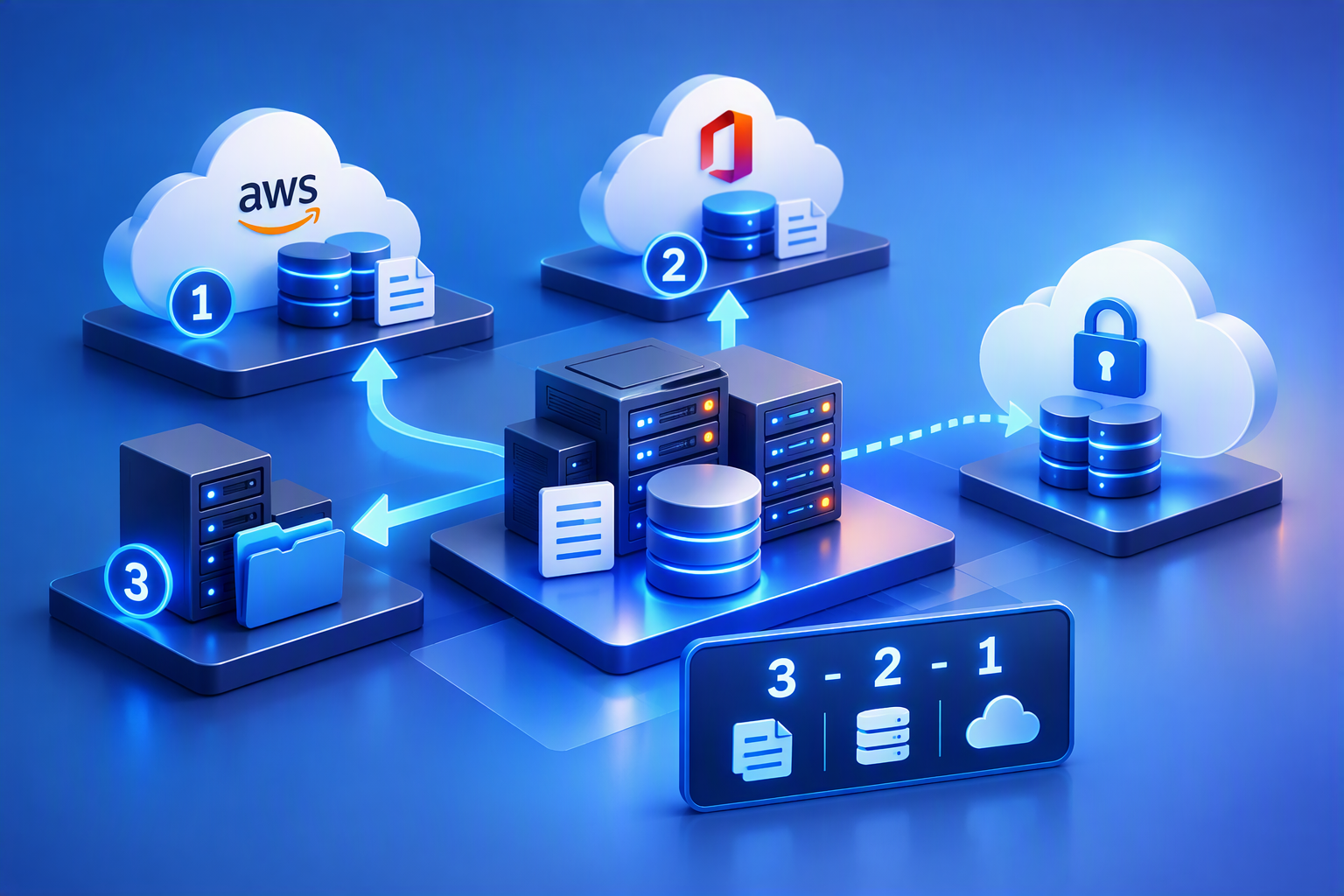
For many organizations, the 3-2-1 principle remains useful: maintain at least three copies of important data, on two different types of storage, with one copy kept offsite or logically isolated. The modern interpretation may include immutable cloud storage, cross-account replication, encrypted backup vaults, and separate credentials rather than physical media. The principle is less about following a formula than avoiding a single point of failure.
AWS-based environments can use services such as AWS Backup, Amazon EBS snapshots, Amazon RDS automated backups, S3 versioning, cross-region replication, and backup vault locks. These tools can be highly effective, but they must be coordinated. A snapshot alone may not protect application consistency. Cross-region copies improve resilience but can add cost and operational complexity. Immutable retention protects against malicious deletion, but it also requires careful lifecycle planning because retained data cannot be removed early.
For databases, recovery design should account for transaction logs, point-in-time recovery, consistency checks, and restoration order. For applications, backups must include more than data. Configuration files, secrets management procedures, network rules, DNS records, container images, CI/CD definitions, and infrastructure code may all be necessary to restore service fully.
How a Managed Service Improves Day-to-Day Operations
The value of a managed service is most visible between incidents. Backup jobs fail for ordinary reasons: expired credentials, changed permissions, network interruptions, storage limits, software updates, and resources that fall outside policy. Left unresolved, small failures create silent coverage gaps.
A managed team monitors backup status, investigates exceptions, and documents remediation. More importantly, it looks for patterns. If the same workload fails each month, the issue may be poor scheduling, insufficient capacity, a change in database behavior, or an underlying infrastructure problem. Resolving the cause is more valuable than repeatedly restarting a job.
Recovery testing is another essential service component. A backup can complete successfully and still fail to restore because of corrupted data, missing dependencies, incompatible settings, or incorrect procedures. Testing should include both file-level restores and full workload recovery. For critical systems, a recovery exercise should validate whether the stated RTO and RPO can actually be met, not merely whether a restore button works.
Reporting should make this operational work visible to leadership. Useful reports identify protected and unprotected assets, backup success rates, exceptions, retention status, storage consumption, and test outcomes. Business decision-makers do not need every event log, but they do need a clear view of risk and the actions being taken to reduce it.
Choosing the Right Managed Backup Provider
The strongest providers start with recovery requirements rather than a preferred product. A vendor-neutral approach is valuable because the best tool depends on the environment. Native cloud services may be appropriate for some workloads, while specialized platforms may be better for SaaS data, endpoint protection, long-term retention, or complex hybrid environments.
Ask how the provider handles four areas: architecture, security, testing, and accountability. Architecture should address every critical system and its dependencies. Security should include encryption, least-privilege access, multi-factor authentication, isolated or immutable copies, and auditability. Testing should be scheduled, documented, and tied to business priorities. Accountability should be clear when a backup fails or a restoration is needed after hours.
Also examine service boundaries. Some providers monitor backup jobs but treat restoration as a separate project. Others support only the backup platform, not the applications or infrastructure required for complete recovery. That may be acceptable for a well-staffed internal IT team, but it creates friction for organizations seeking a single operational partner.
Advanced Vision IT approaches backup as part of a broader resilience model, connecting cloud architecture, cybersecurity, observability, infrastructure automation, and managed support. That integrated view matters when an incident affects more than one layer of the environment.
Cost, Retention, and the Trade-Offs That Matter
Low-cost backup is not always cost-effective backup. Storage charges are only one part of the equation. Retrieval fees, cross-region transfer, long-term retention, immutable storage, licensing, monitoring, and recovery labor all affect total cost.
Retention should reflect legal, regulatory, and operational needs. Keeping every version forever is rarely practical, while retaining too little can create compliance exposure or limit recovery options. A tiered approach often works well: frequent short-term backups for operational recovery, daily or weekly copies for medium-term protection, and longer archival retention for required records.
The same principle applies to recovery speed. Restoring a multi-terabyte workload from archival storage may be less expensive than maintaining hot standby infrastructure, but it will take longer. Not every service warrants near-instant recovery. The key is to make these trade-offs deliberately, with business owners aware of the expected outcome.

Build for Recovery Before You Need It
The best time to validate recovery is during normal operations, when decisions can be made calmly and corrections can be tested without business pressure. Start by identifying the systems that would stop revenue, customer service, operations, or compliance if they became unavailable. Define realistic RPO and RTO targets, map dependencies, and test the recovery path end to end.
A managed backup program should give leadership confidence without creating false certainty. When technology, processes, and accountable experts are aligned, recovery becomes a practiced capability rather than a stressful improvisation.
User Story: When a "Successful Backup" Wasn't Enough
A growing logistics company relied on a mix of AWS workloads, Microsoft 365, and an on-premises order management database. Backup jobs appeared successful for months, and management assumed recovery capabilities were in place.
The problem surfaced after a ransomware attack compromised several file shares and encrypted critical operational data. The organization quickly discovered that while backups existed, restore procedures had never been fully tested. Some backups contained incomplete application dependencies, retention settings had changed without documentation, and several newly deployed cloud resources were not included in backup policies.
What leadership expected to be a few hours of downtime turned into multiple days of disruption. Order processing slowed significantly, customer support experienced delays, and internal teams struggled to rebuild systems while determining which backup copies could be trusted.
Following the incident, the company adopted a managed backup solution with continuous monitoring, recovery testing, immutable backup storage, documented restoration procedures, and clearly defined RPO and RTO targets. During a later infrastructure failure caused by a software update, the organization restored affected systems within its planned recovery window and resumed operations with minimal business impact.
The difference was not the backup technology itself. The difference was having a managed recovery program that had been designed, monitored, tested, and practiced before an incident occurred.
Why This Matters
Data loss incidents rarely happen at convenient times. Whether caused by ransomware, accidental deletion, cloud configuration errors, hardware failures, or software updates, the real business question is not whether backups exist. It is whether the organization can recover quickly enough to avoid operational, financial, and reputational damage.
Managed backup solutions help organizations:
- Reduce business downtime by ensuring recovery processes are documented and tested.
- Protect against ransomware through immutable storage, access controls, and isolated backup copies.
- Maintain compliance with regulatory and retention requirements.
- Gain visibility into backup coverage across cloud, on-premises, and SaaS environments.
- Eliminate operational gaps created when backup management becomes a secondary responsibility.
- Validate that recovery objectives align with actual business requirements rather than assumptions.
- Improve executive confidence through regular reporting, recovery testing, and accountable ownership.
Most importantly, managed backup solutions shift the conversation from "Do we have backups?" to "Can we recover when it matters most?"

Frequently Asked Questions (FAQ)
1. What is the difference between backup and disaster recovery?
Backup focuses on creating protected copies of data that can be restored when information is lost or corrupted. Disaster recovery is a broader strategy that includes restoring systems, applications, infrastructure, configurations, and business operations after a disruptive event. Backups are a critical component of disaster recovery, but they are only one part of the overall recovery process.
2. How often should backups be tested?
Critical systems should be tested regularly, with the frequency based on business requirements and risk tolerance. At a minimum, organizations should conduct scheduled restore tests and periodic recovery exercises to verify that backups are usable and recovery objectives can be achieved.
3. What are RPO and RTO, and why are they important?
Recovery Point Objective (RPO) defines the maximum amount of data loss an organization can tolerate. Recovery Time Objective (RTO) defines how quickly systems must be restored after an outage. Together, these metrics determine backup frequency, retention policies, architecture requirements, and recovery priorities.
4. Can native cloud backup tools provide sufficient protection?
Native cloud services such as AWS Backup, EBS snapshots, RDS automated backups, and Microsoft 365 protection features can be highly effective. However, organizations still need monitoring, testing, policy management, security controls, and recovery procedures to ensure those tools support a complete recovery strategy.
5. How do managed backup solutions help defend against ransomware?
Managed backup solutions typically incorporate security controls such as immutable backups, encryption, multi-factor authentication, least-privilege access, isolated backup repositories, and continuous monitoring. These measures help ensure that backup data remains available even if production systems or privileged accounts are compromised.
Key Takeaway
A backup strategy is only valuable when recovery is proven. Managed backup solutions provide the expertise, oversight, testing, and accountability required to transform backup data into a reliable business recovery capability.

Written by Yavor Y. Zlatev
CEO & Founder at Advanced Vision IT Ltd | Published on
Yavor advises executive leadership teams on cybersecurity strategy, NIS2 compliance, and cloud operating models to build resilient IT environments.